Coding rounds and conversation, in one live session
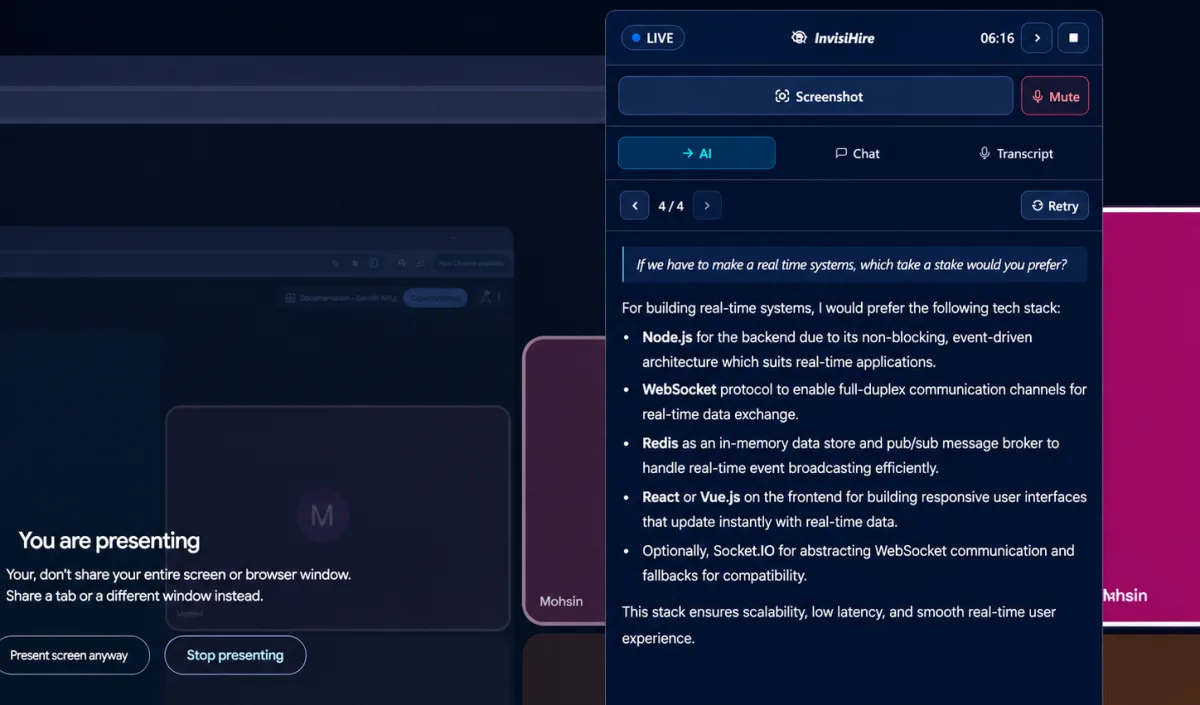
Interview Coder is built around the coding screen. Most loops are not only coding: there is a recruiter call, a behavioural round and a system design conversation before anyone opens an editor. InvisiHire handles the spoken questions and the coding problem in the same session.
If you only ever sit coding screens, Interview Coder is aimed at exactly that. If people also ask you questions out loud, one tool covering both is the simpler answer.
Why choose InvisiHire over Interview Coder
The whole loop, not just the coding screen
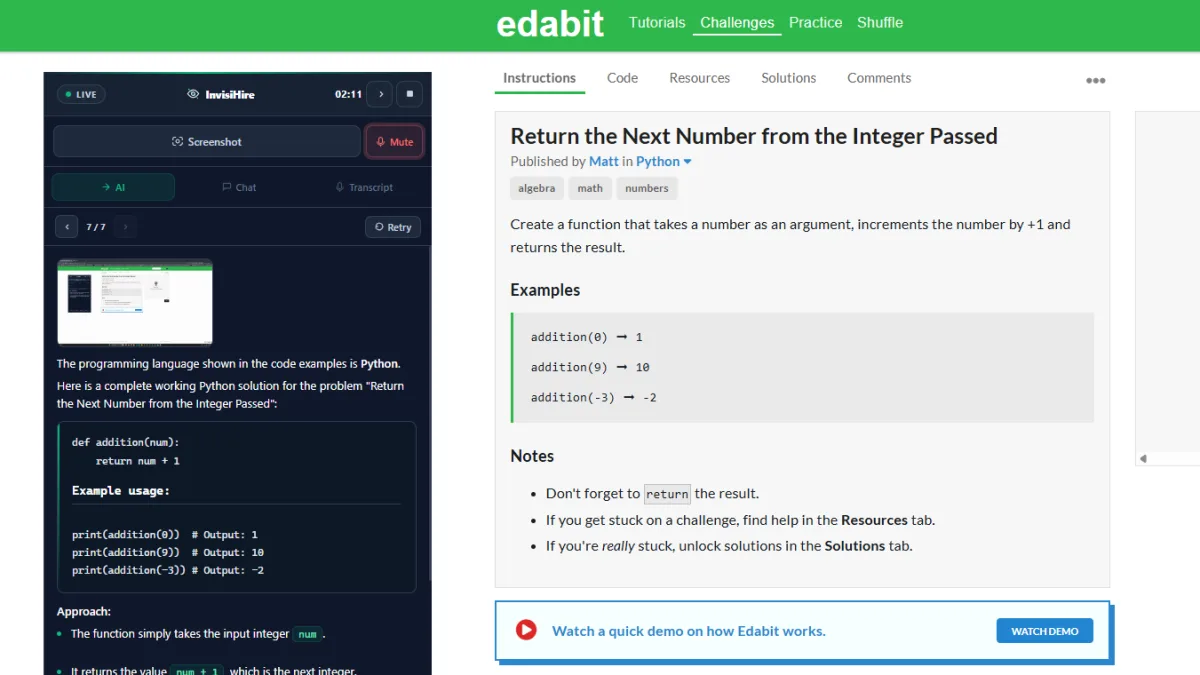
InvisiHire listens to spoken questions and answers them as you, using your resume and documents. Send it a screenshot and it writes the code, copying the function signature exactly as given. Both happen in the same live session, so you are not switching tools between rounds.
Twelve screenshots in one question
A long problem spans more than one screen. InvisiHire accepts up to 12 screenshots in a single question and reads them together, including the constraints and examples that sit below the fold and are usually where the traps are.
Two languages at once
InvisiHire supports more than 60 languages and lets the interviewer and answer languages differ. That matters on a call where the conversation runs in one language and you want to read the answer in another.
Minutes that do not reset
Interview Coder gives usage credits that reset each month on its monthly plan. InvisiHire minutes never expire and stack across purchases, so time you paid for is still there next month.


InvisiHire vs Interview Coder, feature by feature
| InvisiHire | Interview Coder | |
|---|---|---|
| Live answers during the call | Yes | Yes |
| Free tier with live answers | Yes, up to 10 sessions of 10 minutes each | No, the free download has no AI |
| Pricing model | Free tier, then pay as you go or subscribe | Subscription or one-time |
| Answer language separate from the interviewer | Yes, 60+ languages | Not advertised |
| Screenshots per question | Up to 12 at once | Screen capture, multiple images not advertised |
| Coding help from a screenshot | Yes, full solution with the given signature | Yes, its main focus |
| Resume and documents used in answers | Yes, answers written as you | Not advertised |
| Hidden from screen sharing | Yes, on every plan | Yes |
| Desktop app | Windows (macOS in development) | Windows, macOS |
| Time you buy expires | Never, and it stacks | Monthly credits reset each month |
Interview Coder details were read from their own page on 31 August 2026 and describe what that page advertises. Products change, so check theirs before deciding.
What it costs to get through your next interview
With InvisiHire
Nothing to start. The free tier gives up to 10 sessions with live answers, 10 minutes per session, a 10-minute cooldown, and no card. When you need more it is $9 for 3 hrs that never expire, bought outright with no subscription. If you are interviewing every week, $39 a month covers unlimited sessions and unlimited time.
With Interview Coder
The free download has no AI at all. Pro is $299 per month with 1,000 usage credits, or $799 once for lifetime access.
InvisiHire figures come straight from our live pricing, so this page cannot quote a price we no longer charge.
What is Interview Coder?
Interview Coder is a desktop app aimed at technical interviews. It advertises more than twenty undetectability features tested daily, real-time audio transcription of the interviewer, and support for a range of interview types. Its free download has no AI features; AI needs a paid plan.
What is InvisiHire?
InvisiHire is a real-time interview copilot. The desktop app listens to the call and answers appear on your screen while the interviewer is still speaking, written as you, using your resume and documents. It runs on Windows, stays out of shared screens on every plan, handles coding problems from up to 12 screenshots at once, and lets you set the interviewer's language and your answer language separately across more than 60 languages.
Frequently asked questions
Is InvisiHire only for coding interviews?
No, and that is the main difference. Interview Coder is built specifically around coding problems. InvisiHire handles the behavioural round, the system design discussion and the coding screen in one session, because most interviews contain all three.
Does InvisiHire solve coding problems as well?
It writes a complete solution with the complexity stated, from up to 12 screenshots read together. Interview Coder is narrower and more specialised at that one task. If your interview is a pure algorithm screen and nothing else, that focus is a fair argument.
What happens on the behavioural questions?
InvisiHire drafts a first-person answer from your own resume, so the examples are yours rather than generic. It will say plainly when something is not in your background rather than inventing an employer.
Can I use it for a non-technical interview?
Yes. Sessions have a type, so a general or behavioural session behaves differently from a technical one, and the answers are shaped accordingly.
Is there a free tier?
Yes. Up to 10 sessions of 10 minutes each, with a 10-minute cooldown, live answers included and no card. Long enough to judge the answers on a real call.
Try it on your next interview
Create a session, launch the desktop app, and watch the answers appear while you talk. The free tier is enough to judge it properly.
Free tier included · Paid time from $9 · No subscription required